How to Choose the Best Accounting Software for Your Business
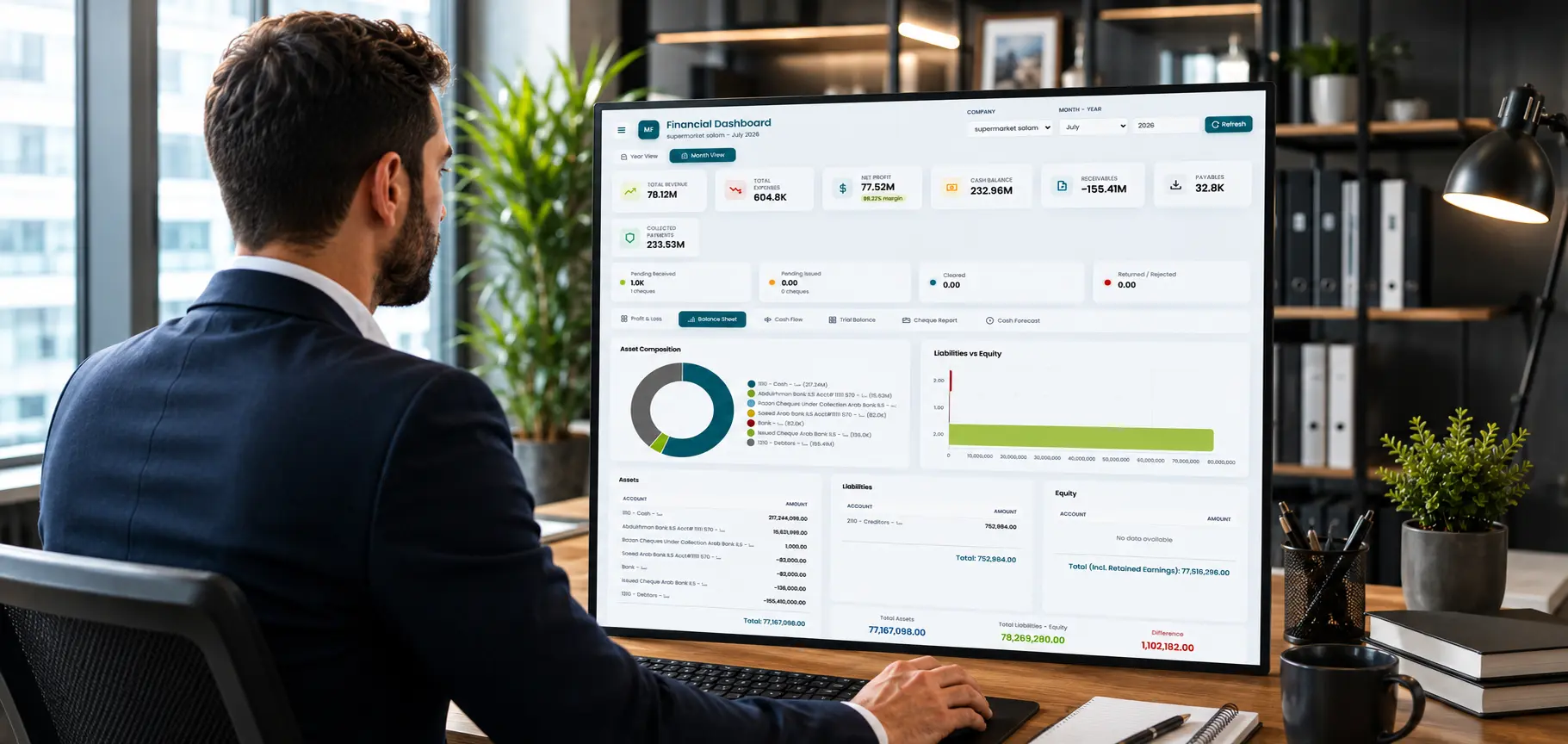
A complete guide to choosing the right accounting software
How to Choose the Best Accounting Software for Your Business (2026 Guide)
If you're running a business, you've probably hit the same wall: revenue and expenses spread across spreadsheets, invoices tracked manually, and financial reports that take hours to piece together. As a business grows, relying on Excel sheets or paper records simply stops working - and that's exactly where the right accounting software makes the difference.
Imagine one platform handling your entire financial picture - from the first sales invoice, through bank
reconciliation, to your final financial statements - in a few clicks instead of hours of manual data
entry and scattered files
That's exactly what modern cloud accounting software is designed to do.
When searching for the best cloud accounting software, you'll find no shortage of options. The right choice depends on your company's size, how many users need access, and how much you need it to integrate with inventory, point of sale, and HR. This guide walks through the criteria that actually matter before you commit to a platform.
What Is Accounting Software?
Accounting software is a digital system that helps businesses record financial transactions and manage accounts accurately and consistently, replacing paper ledgers and error-prone spreadsheets.
Core functions of accounting software typically include:
- Recording revenue and expenses as they happen
- Issuing electronic invoices to customers
- Managing accounts receivable and payable
- Automatically generating journal entries
- Producing financial reports (income statement, balance sheet, cash flow statement)
One pattern we've consistently seen is that businesses rarely switch to accounting software because they want new technology - they switch because manual processes begin slowing down growth. Dedicated accounting platforms reduce human errors, save time, and give a clearer view of financial performance. A reliable accounting system should also support accurate reporting practices and help businesses maintain compliance with recognized accounting standards such as IFRS.
Why Businesses Need Accounting Software
As a business grows, financial operations become more complex, and the risk of errors increases with manual data entry or disconnected tools. This challenge is universal across industries and markets, even if the specifics vary from one business to another.
- Keeps financial records organized, saving time and administrative effort
- Reduces errors from manual entry or copying data across multiple sources
- Tracks revenue and expenses in real time, from anywhere
- Manages receivables and payables, flagging what's due before it's overdue
- Generates audit-ready financial reports quickly and accurately
- Strengthens financial oversight, especially across multiple branches or team members
For small and mid-sized businesses in particular, where time and staff are often limited, choosing the right accounting software is a direct investment in stability and growth - not just another piece of technology to manage.
Key Features to Look For
When evaluating accounting software, make sure these capabilities are covered before making a decision:
1. Invoicing and Sales Management
Create sales and purchase invoices that automatically update inventory levels and accounting records, eliminating duplicate data entry and cutting down the time spent on reconciliation. This connects directly with point-of-sale systems so every sale is recorded automatically, and with inventory management so stock levels update the moment an invoice is issued.
2. Accounts Receivable and Payable
Track what customers owe you and what you owe suppliers, with accurate due dates and automated alerts, so unpaid invoices get flagged before they become cash flow problems instead of being discovered weeks later during reconciliation.
3. Professional Financial Reports
Accounting software should provide ready-made reports such as income statements, balance sheets, trial balances, and cash flow statements - generated instantly from live data rather than rebuilt by hand every month-end.
4. Check Management and Chart of Accounts
Track incoming and outgoing checks in an organized way, alongside a flexible chart of accounts that fits your business type, whether commercial, service-based, or industrial, so nothing gets lost between the bank and the books.
5. Multi-Branch or Multi-Company Support
Businesses operating across multiple branches need a system that manages all financial operations from one platform, while tracking each branch's performance independently, so a manager can spot which location is underperforming without pulling separate reports from separate systems.
Cloud vs. Traditional Accounting Software
Most businesses today are shifting toward cloud-based accounting software instead of traditional systems installed on a single machine:
- Access your data from anywhere, at any time
- Automatic backups protect against data loss or technical failure
- Continuous updates without manual reinstallation
- Easier collaboration across teams, even in different locations
- Stronger security compared to local files vulnerable to loss or breach
In practice, the businesses we work with that make this move tend to see the payoff fastest in two places: fewer reconciliation errors and faster invoicing, especially once they open a second location or bring on more team members.
Want to see if MaxFlow fits how your business runs?
Book a free consultationFree vs. Paid Accounting Software
Many small business owners start by searching for free accounting software, which makes complete sense in the very early stages of a business.
Free tools can be a great fit for very small operations just starting out, but they typically don't offer the scalability and integrations businesses need as transaction volume grows - that doesn't make them a bad choice, it simply means they're built for a different stage of growth.
| Criteria | Free Software | Full-Featured Paid Software |
|---|---|---|
| Invoices / users | Limited | Flexible, scales with need |
| Inventory & POS integration | Usually unavailable | Available |
| Direct support | Limited or none | Ongoing |
| Advanced reporting | Basic and simple | Comprehensive and customizable |
| Best for | Very small, individual projects | Growing businesses |
Once a business starts scaling, moving to a full-featured accounting platform becomes necessary to avoid the limitations that hold growth back.
Accounting Software vs. ERP
Many assume accounting software and an ERP system are the same thing, but there's a meaningful difference. Accounting software focuses mainly on financial operations, like recording entries, issuing invoices, and preparing financial reports. An ERP system connects accounting with every other part of the business on one platform, including:
- Accounting & finance
- Customer relationship management (CRM)
- Point of sale (POS)
- HR & payroll
- Manufacturing & production
- Project management
This integration reduces duplicate data entry and improves information flow between departments, supporting more efficient operations and more accurate decisions. One of the most common issues we see before businesses make this move is duplicate data entry between accounting and inventory - the same sale keyed in twice, in two systems that don't talk to each other. For a deeper look, see: What Is ERP? The Complete Guide.
How to Choose the Right Accounting Software
- Will it support your company's growth over the next few years?
- Does it produce accurate, audit-ready financial reports?
- Can it connect directly to inventory and point of sale without complex integrations?
- Does it support multiple branches and users with different permission levels?
- Is real, responsive support available when something goes wrong?
Why Choose MaxFlow
At MaxFlow, we've helped companies automate accounting, invoicing, inventory, and ERP workflows across retail, distribution, medical centers, and service businesses - giving each team a platform built around how they actually operate, not a generic one-size-fits-all system. MaxFlow's accounting system offers an integrated cloud solution that helps businesses manage their entire financial operation from one place.
- Full management of invoices, revenue, and expenses
- Automatic journal entries with no manual work
- Accounts receivable and payable with automated due-date alerts
- Official financial statements generated in seconds
- Multi-company or multi-branch management from a single account
What sets MaxFlow apart from many general-purpose solutions on the market:
- Built for different types of businesses - from small shops to distributors managing multiple branches
- Multi-currency support - for businesses working with international suppliers or customers
- Role-based permissions - each team member sees only what's relevant to their job
- Real, responsive support - not a ticket routed to a distant, generic help desk
Frequently Asked Questions
What is the best accounting software for a small business?
The best option is a cloud-based platform that's easy to use today and can grow into inventory and point-of-sale management as your business expands.
What's the difference between accounting software and bookkeeping software?
The terms are often used interchangeably to describe the same type of tool: digital software for recording and managing a business's financial operations.
Can accounting software connect to a point-of-sale (POS) system?
Yes, in integrated cloud platforms like MaxFlow, POS transactions post directly to the accounting ledger automatically, with no manual data entry required - saving time and reducing the risk of errors.
When should a business move from basic accounting software to a full ERP?
Once a business manages more than one function, such as inventory, sales, and HR, on separate disconnected tools, duplicate data entry typically becomes a clear signal it's time to move to an integrated ERP system.
Is cloud accounting software secure?
Reputable cloud platforms encrypt data in transit and at rest, run automatic backups, and apply security updates continuously - protections that are harder to maintain consistently with files stored on a single local machine.
Can accounting software replace Excel?
Yes, for financial record-keeping. Spreadsheets work for very early-stage tracking, but they don't scale well: no automatic reconciliation, no audit trail, and a high risk of manual errors as transaction volume grows.
Ready to Simplify Your Accounting?
Get a live walkthrough tailored to how your business actually runs.
- 15-minute live demo
- No credit card required
- Setup assistance included
- Migration support
لا تعليقات حتى الآن. بدء مناقشة جديدة.